How It Works
Follow these simple steps to transform your guitar recordings into accurate tablature.
1
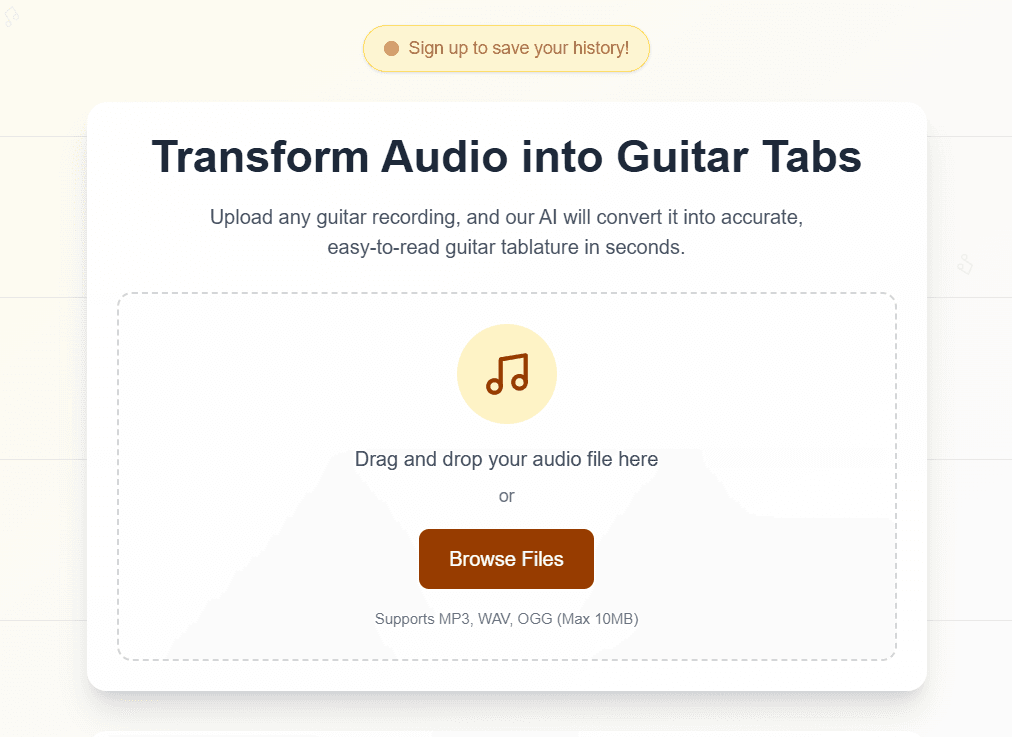
Start on the Home Page
Navigate to the main SoundTab interface. Click the 'Browse Files' button to open your file explorer.
Step 1 Action
2
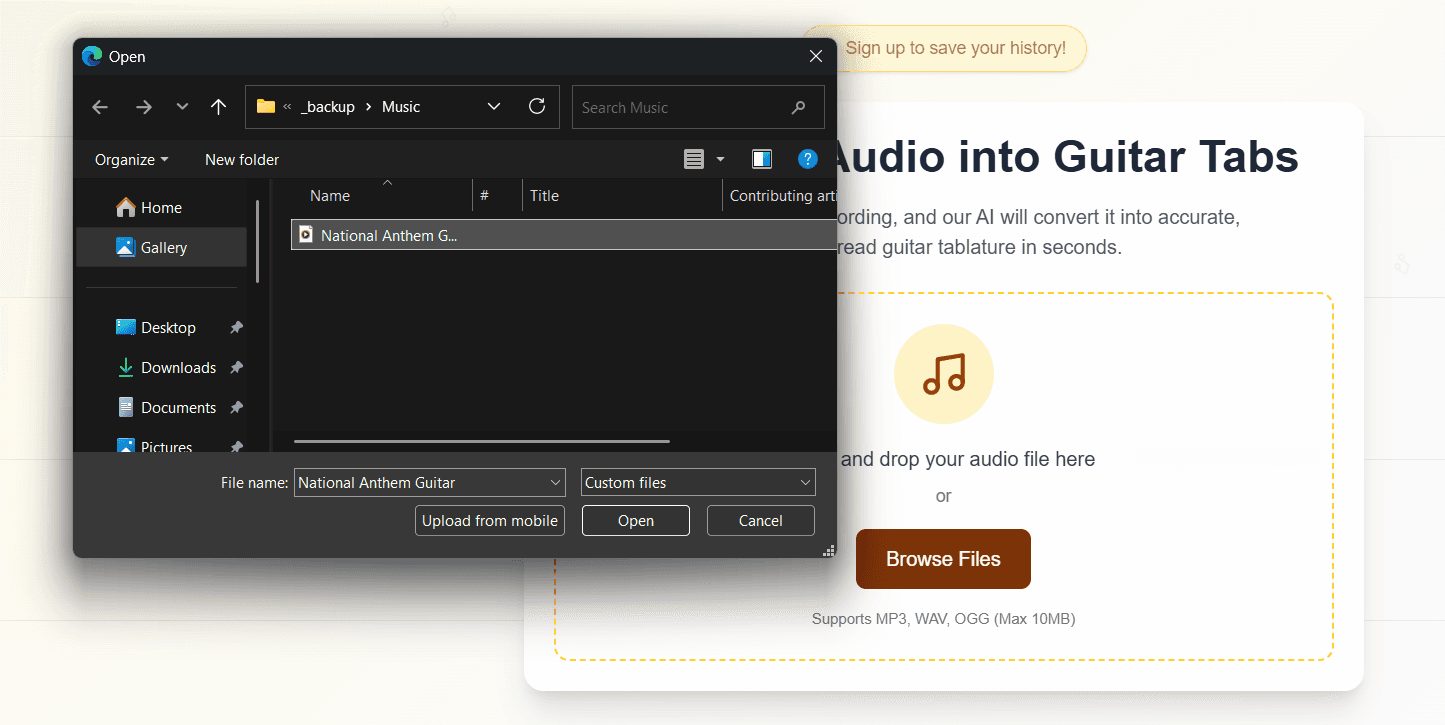
Upload Your Audio
Select a guitar recording from your computer. We support MP3, WAV, and OGG formats (max 10MB).
Step 2 Action
3
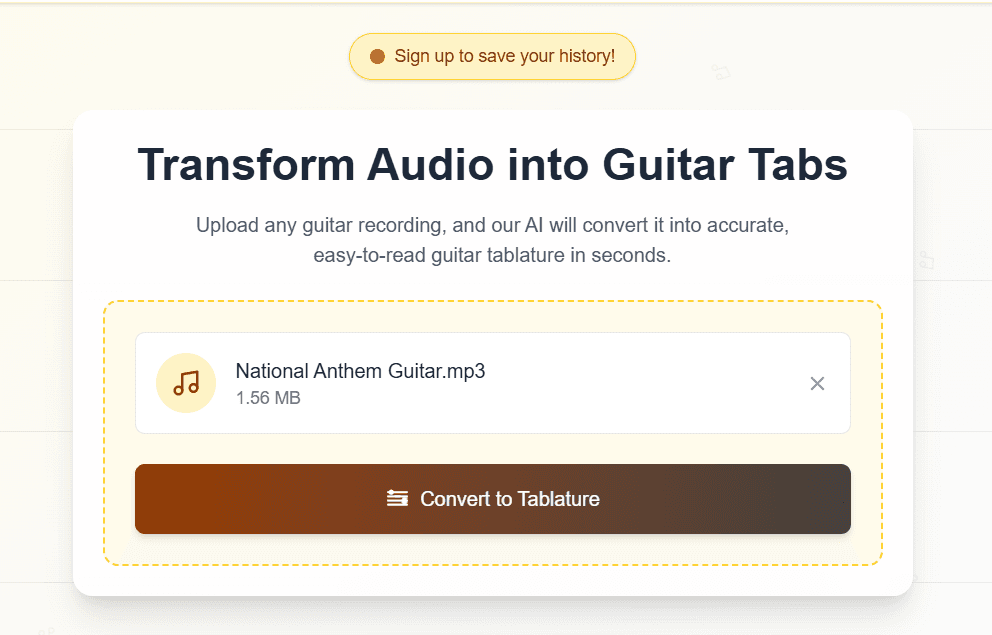
Initiate Conversion
Once your file is loaded, you'll see the file details. Click 'Convert to Tablature' to start the AI analysis.
Step 3 Action
4
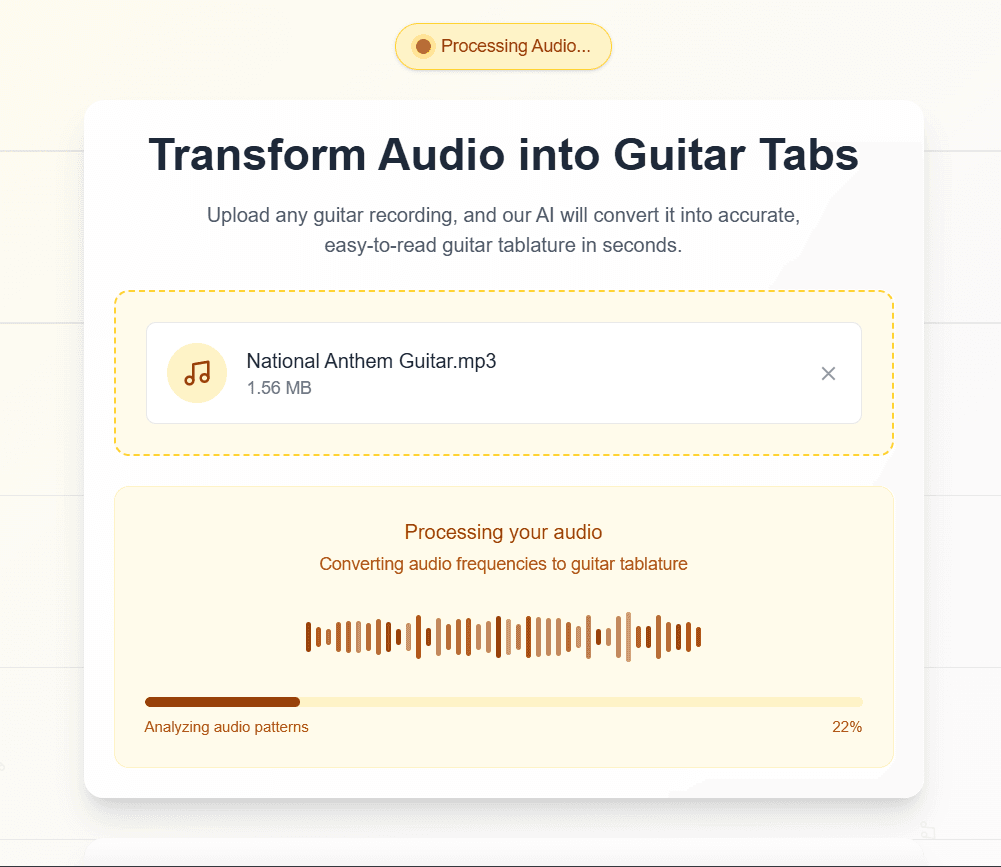
AI Audio Processing
Our advanced AI analyzes the audio frequencies. Note: Processing typically takes between 30 to 50 seconds depending on file complexity.
Step 4 Action
5
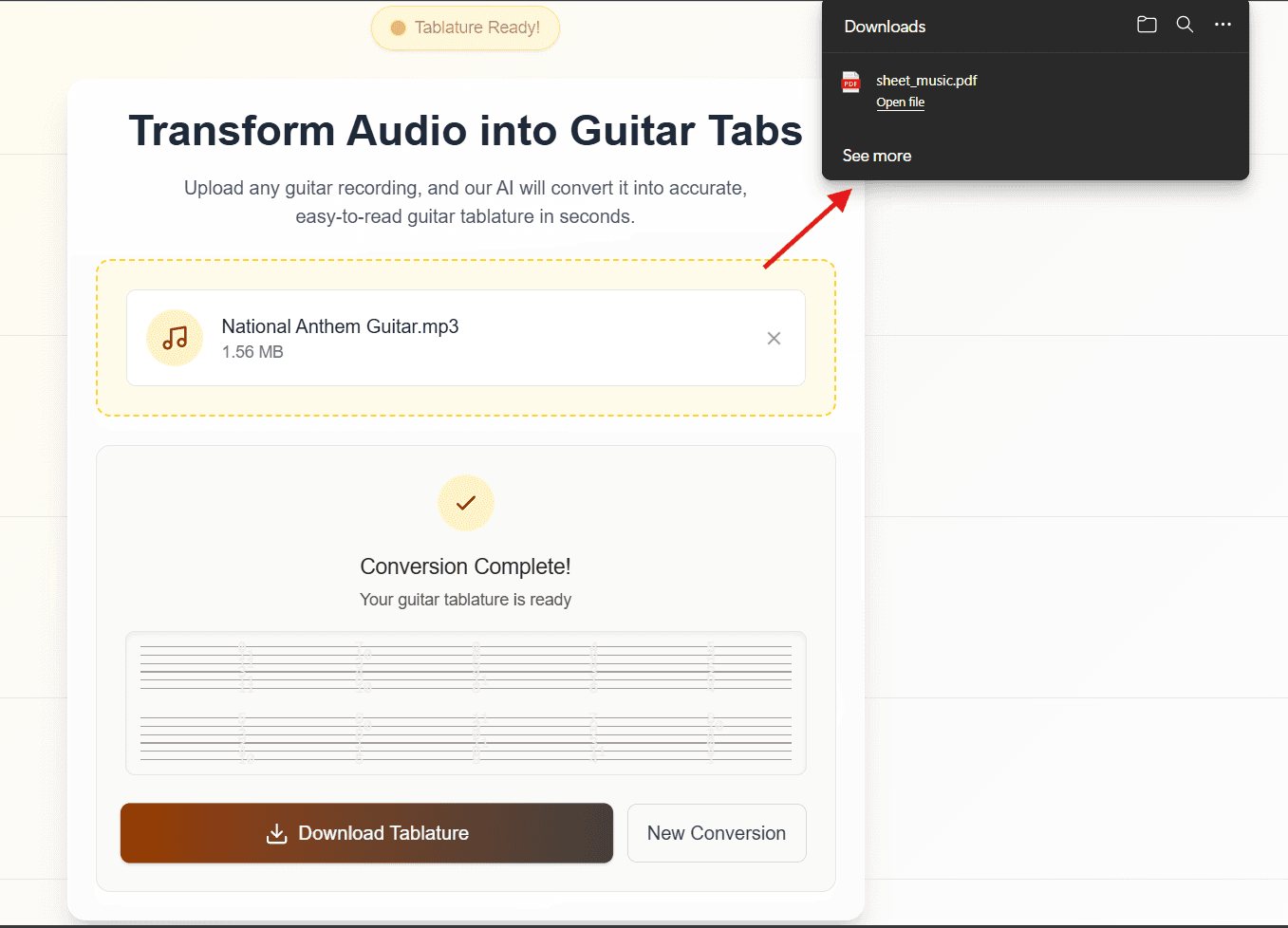
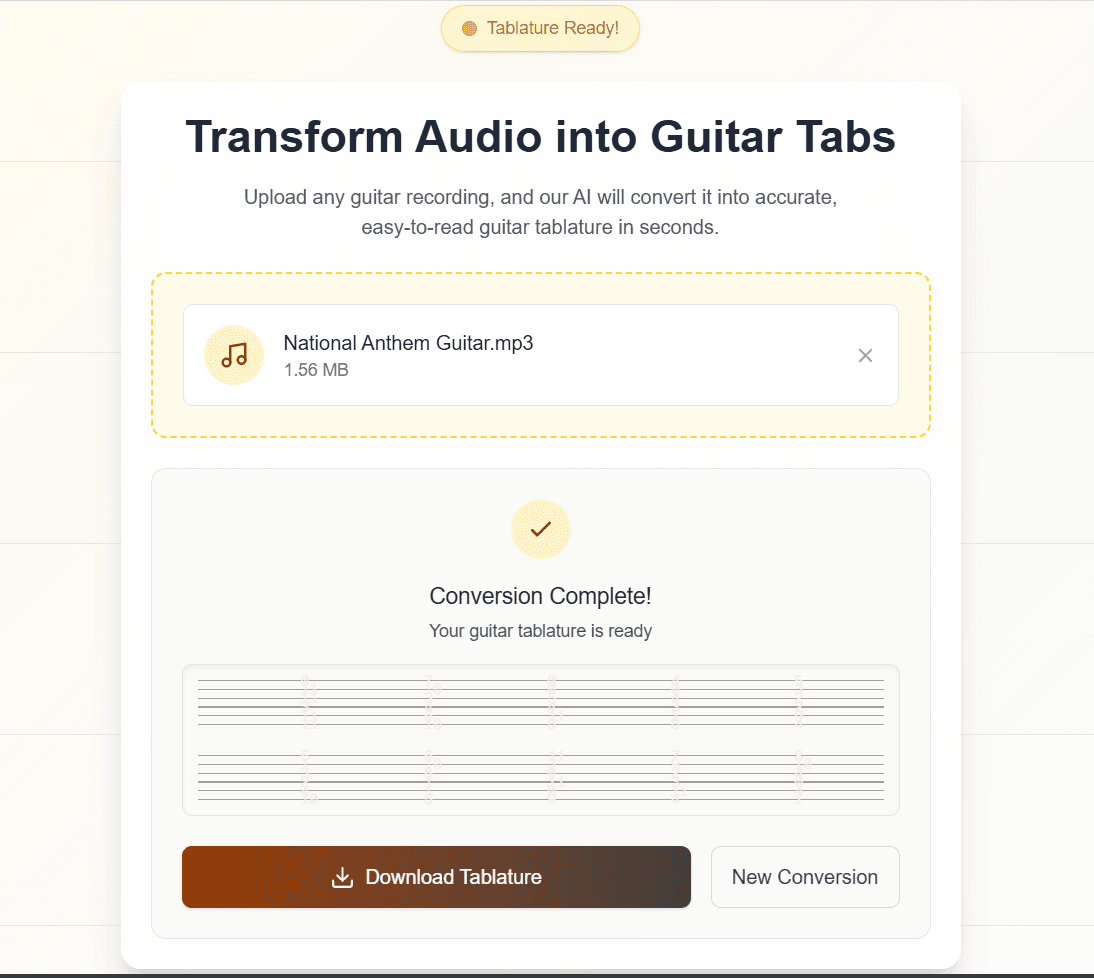
Conversion Complete
When processing finishes, you'll see a preview of the generated guitar tablature.
Step 5 Action
6
Download PDF
Click the 'Download Tablature' button to save the high-quality PDF sheet music to your device.
Step 6 Action